

Compliance That Fits WooCommerce Stores
How WooCommerce Orders Become Electronic Invoices
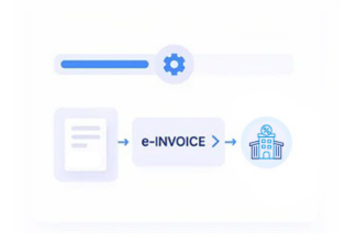
- Order Details Received: Completed WooCommerce orders provide customer, product, quantity, transaction, and applicable tax information for invoice preparation.
- Information Matched: Relevant sales information is mapped between WooCommerce records and the corresponding fields within the electronic invoice workflow.
- Invoice Data Checked: Advintek reviews configured invoice information to identify incomplete or inconsistent details before further processing takes place.
- Tax Details Organized: Applicable VAT and transaction information are arranged within the invoice structure for accurate electronic billing activities.
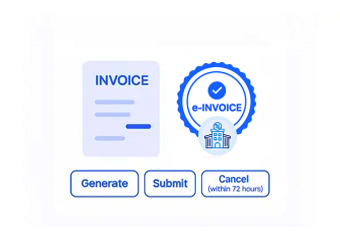
- Invoice Workflow Initiated: Prepared invoice information continues through the applicable Lesotho electronic invoicing process using the connected Advintek environment.
- Records Remain Accessible: Completed invoice information and associated transaction details are retained within organized digital records for business reference.
What Does Advintek’s WooCommerce Connector Actually Do?
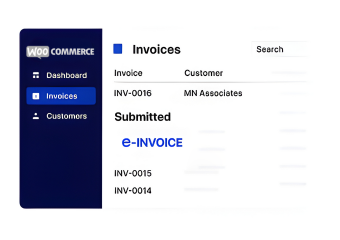
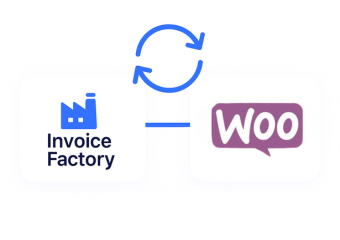
Advintek creates a connection between WooCommerce sales activity and electronic invoicing operations, transforming relevant order information into structured billing data while allowing businesses to continue managing products, customers, orders, and storefront activities through WooCommerce.
- Transfers completed order information into invoice workflows
- Structures product and transaction details for billing
- Checks relevant invoice information before processing
- Coordinates billing records with order changes
Why WooCommerce Businesses Choose Advintek
- Connected Store Operations: Advintek links WooCommerce sales information with electronic billing processes, helping businesses coordinate online commerce and invoicing activities.
- Reliable Transaction Mapping: Relevant order, customer, product, and tax information can be transferred into structured invoice workflows with greater consistency.
- Reduced Finance Administration: Automated processes limit repetitive work involved in collecting sales information and preparing invoices from completed WooCommerce orders.
- Improved Billing Oversight: Finance teams can maintain clearer visibility into invoice activity and transaction information generated through their online store.
- Organized Order Adjustments: Changes to orders can be reflected through controlled billing processes, helping maintain consistency between commerce and financial records.
- Structured Digital Documentation: Electronic invoice information can be maintained within organized records to support reconciliation, review, and ongoing business administration.
Everything You Need for Lesotho E-Invoicing in One Place
Automated Order Processing
Completed WooCommerce orders can enter connected invoice workflows, helping teams reduce repetitive preparation across growing digital sales activity.
Consistent Invoice Validation
Configured checks review essential invoice information, helping identify potential data issues before documents continue through electronic billing workflows.
Connected Billing Oversight
Centralized visibility helps finance teams monitor invoice activity, transaction information, and processing outcomes generated through WooCommerce sales.
Designed for Businesses Using WooCommerce in Lesotho
Online retailers, wholesalers, direct-to-consumer brands, and growing digital businesses using WooCommerce can introduce structured electronic invoicing alongside their existing store operations.
- Convert completed WooCommerce orders into invoices
- Connect store transactions with finance processes
- Coordinate billing after order changes
- Maintain organized electronic sales records
Turn Online Orders into Compliant Billing
Managing WooCommerce sales separately can create gaps in tax and financial records.
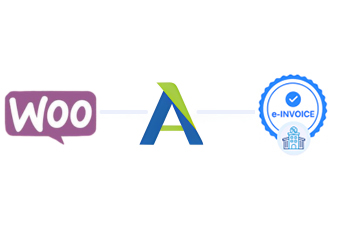
Connected with WooCommerce. Processed through Advintek.
Ready e-Invoice System
Frequently Asked Questions WooCommerce E-Invoicing Lesotho
1. How does Advintek connect WooCommerce orders with electronic invoices?
Advintek can connect relevant WooCommerce order information with its electronic invoicing workflow, allowing completed sales data to move into structured billing processes. Customer, product, transaction, and applicable tax information can be mapped from WooCommerce, helping businesses create consistent invoice records without requiring finance teams to manually recreate every online sale.
2. Can WooCommerce product and tax information be mapped into invoices?
Yes. Relevant product information, quantities, transaction details, customer information, and applicable VAT data can be mapped from WooCommerce into the configured invoice structure. Advintek helps organize this information before processing, supporting greater consistency between what customers purchase through the WooCommerce store and the information appearing on the resulting electronic invoice.
3. How does WooCommerce handle invoicing when an order status changes?
WooCommerce orders can pass through different stages such as processing, completion, cancellation, or other configured statuses. Advintek can use relevant transaction events within the connected workflow to determine when invoice processing should occur. This helps businesses align electronic billing activity with the actual progression of their online orders.
4. Can Advintek support WooCommerce stores with different product categories and VAT treatments?
WooCommerce stores may sell different products or services with varying tax considerations. Advintek can be configured to work with relevant transaction and tax information received from WooCommerce, helping organize invoice data according to the applicable billing workflow. This supports more consistent electronic invoicing across diverse product catalogs and online sales.
5. Can WooCommerce businesses use Advintek when operating several online stores?
Yes. Businesses managing multiple WooCommerce storefronts can use a connected invoicing environment to coordinate electronic billing across their online operations. Advintek can help consolidate relevant invoice processing while retaining the individual store information associated with each transaction, giving finance teams a more organized approach to managing digital invoices across their WooCommerce ecosystem.