

Best E-Invoicing Provider in Lesotho for Invoıce Compliance

Lesotho E-Invoicing for QuickBooks
Get Started Desktop Keeps Accounting Records Tax-Ready
Advintek connects QuickBooks Desktop with Lesotho electronic invoicing, helping businesses organize accounting data, VAT details, invoices, and digital tax records.
Powerful features

Compliance Built Around Desktop Accounting Workflows

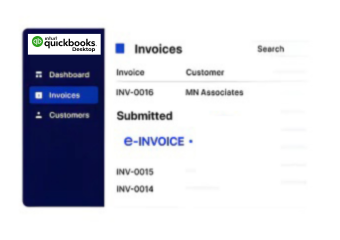
How QuickBooks Desktop Records Enter Lesotho E-Invoicing

  • Desktop Transactions Selected: Relevant QuickBooks Desktop sales and billing transactions are identified according to their accounting and invoicing requirements.
  • Customer Information Retrieved: Associated customer records are collected to support complete and consistent electronic invoice preparation.
  • Item Records Connected: Applicable products, services, quantities, and related information are matched with corresponding invoice details.
  • Tax Entries Evaluated: VAT information associated with the accounting transaction is reviewed before electronic invoice processing continues.
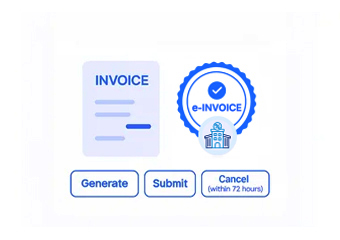
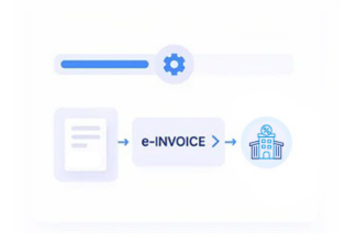
  • Invoice Data Structured: Selected QuickBooks Desktop information is organized into the required electronic billing workflow through Advintek.
  • Processed Records Reconciled: Electronic invoice results remain available alongside accounting information to support reconciliation and financial record management.
Affordable pricing for SMEs

Simple, Transparent Pricing

Starting from as low as

RM 20

Where Advintek Connects with QuickBooks Desktop

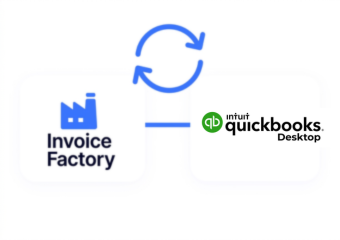
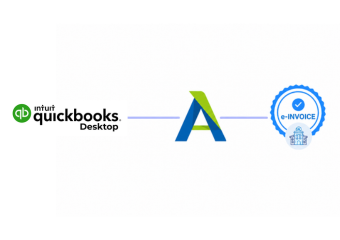
Advintek creates a practical link between QuickBooks Desktop accounting records and electronic invoicing operations in Lesotho. The connection allows relevant desktop bookkeeping information to participate in invoice preparation, validation, tax-data handling, and digital processing while finance teams continue working within their familiar QuickBooks environment.

What is Advintek's e-invoice connector for Zoho Books
sap e invoicing for compliance sap einvoicing sap einvoice

Benefits of Linking QuickBooks Desktop with Advintek

  • Familiar Desktop Accounting: Finance teams can continue using QuickBooks Desktop for bookkeeping, invoicing, customer management, and financial administration while electronic invoicing operates through a connected workflow.
  • Sales Records Stay Useful: Existing QuickBooks Desktop transaction information can contribute to electronic invoice preparation without requiring teams to recreate every billing detail.
  • Inventory Billing Remains Connected: Relevant item and inventory records can support invoice preparation, helping maintain consistency between sales transactions and accounting information.
  • Tax Information Stays Organized: Applicable VAT information can remain associated with relevant accounting transactions throughout the electronic invoice process.
  • Invoice Changes Stay Traceable: Adjustments and revised billing information can remain connected with their underlying accounting records for clearer financial review.
  • Digital Records Support Finance: Organized electronic invoice information can assist accounting teams with reconciliation, reporting, documentation, and ongoing financial administration.
Powerful features

One Compliance Layer for Every Invoice

Built for UAE Businesses Using QuickBooks

QuickBooks Desktop Integration for Lesotho Businesses

Businesses relying on QuickBooks Desktop for bookkeeping, invoicing, inventory accounting, and customer records can connect their established desktop accounting environment with Advintek’s Lesotho electronic invoicing workflow.

Connect Your QuickBooks Desktop

to Lesotho E-Invoicing Software

Turn established QuickBooks Desktop records into structured invoices for Lesotho tax workflows.

QuickBooks Desktop Meets Lesotho Digital Invoicing.

Ready e-Invoice System

0 % RSL

Frequently Asked Questions QuickBooks Desktop e-Invoicing Lesotho

1. Can QuickBooks Desktop company files work with Advintek for e-invoicing?

Yes. Relevant information maintained within a QuickBooks Desktop company file can support the connected electronic invoicing workflow. Advintek can work with applicable accounting information required for invoice preparation, allowing businesses to retain their existing QuickBooks Desktop records while connecting appropriate billing activity with structured Lesotho e-invoicing processes.

QuickBooks Desktop item lists can provide relevant product or service information associated with sales transactions. Where applicable, item descriptions, quantities, and related billing details can be used during invoice preparation. Advintek helps organize this information within the electronic workflow so accounting records and digital invoice information remain properly aligned.

Relevant accounting references can remain associated with the transaction information used during electronic invoice processing. This helps finance teams trace billing activity back to QuickBooks Desktop records, making it easier to review transactions, perform reconciliation, and maintain continuity between desktop bookkeeping and processed digital invoices.

Yes. Businesses using QuickBooks Desktop to manage inventory-related accounting can connect relevant sales and item information with Advintek. Product details associated with qualifying transactions can support electronic invoice preparation, helping maintain consistency between inventory records, sales activity, accounting entries, and the corresponding digital billing documentation.

Relevant VAT information recorded within QuickBooks Desktop transactions can be incorporated into the connected electronic invoicing workflow. Advintek helps organize applicable tax details alongside invoice information, allowing accounting teams to maintain stronger alignment between their desktop financial records, VAT-related information, and Lesotho digital invoicing activities.