

Compliance Built for Automated Invoice Operations
How Microsoft Power Automate Supports Invoicing
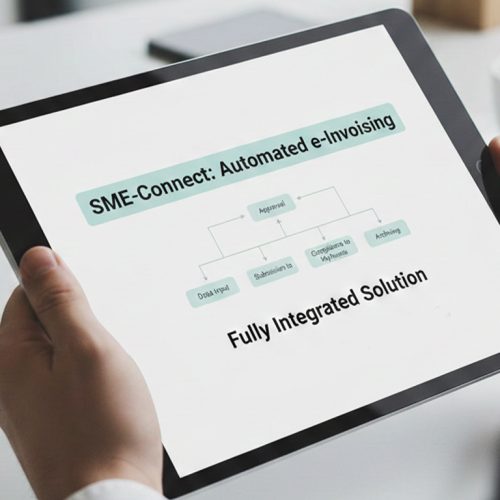
- Event Triggers: Relevant transactions trigger automated flows when predefined business events occur within connected applications.
- Data Collection: Power Automate gathers required billing information from configured data sources and workflow steps automatically.
- Information Checking: Advintek examines invoice details, tax information, and required fields before electronic processing begins.
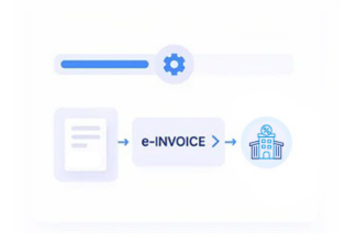
- Document Assembly: Approved information is assembled into invoice documentation suitable for Lesotho electronic invoicing requirements and workflows.
- Electronic Processing: Prepared invoice data is submitted through Advintek for applicable electronic tax processing workflows securely.
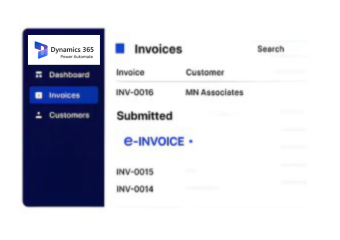
- Record Updating: Processing results and references return to connected systems for subsequent accounting and reconciliation activities.
Inside Microsoft Power Automate Integration
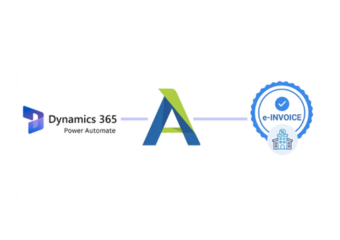
Advintek extends Microsoft Power Automate with an electronic invoicing layer, helping businesses automate billing data preparation, compliance checks, document handling, and accounting follow-through across connected systems.
- Automated flows reduce repetitive invoice handling
- Billing information reaches connected applications
- Tax details receive dedicated workflow checks
- Invoice approvals follow configured business processes
Benefits of Microsoft Power Automate
- Reduced Manual Handling: Automated invoice preparation reduces repetitive handling across connected applications and recurring business processes.
- Consistent Workflow Rules: Centralized workflow rules provide consistent treatment for invoice information across recurring transactions and departments.
- Earlier Data Exceptions: Automated checks help identify incomplete billing details before electronic invoice processing begins efficiently.
- Connected Application Updates: Connected applications receive relevant invoice information without repeated manual data entry activities.
- Visible Processing Stages: Workflow monitoring gives teams clearer visibility into invoice stages and processing outcomes.
- Scalable Business Automation: Scalable automation supports growing transaction volumes across connected business applications and departments.
Complete Control Over Lesotho E-Invoicing Workflows in One Platform
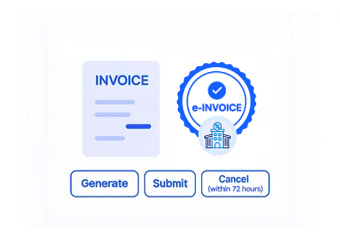
Flow Trigger Management
Start invoice workflows when defined business events occur across connected applications.
Approval Route Control
Direct invoice reviews through appropriate approval stages before electronic processing begins.
Exception Alert Handling
Flag incomplete information and route issues for timely correction before submission.
Microsoft Power Automate For Users in Lesotho
Microsoft Power Automate can support connected invoice workflows across business applications, allowing Lesotho businesses to automate repetitive actions while maintaining structured review points for electronic tax documentation.
- Automated billing information follows configured workflows
- Invoice reviews can involve designated teams
- Tax documentation receives structured processing
- Accounting records receive relevant invoice references
RSL Mandates Require Structured Invoice Validation
Start Microsoft Power Automate e-invoicing for Lesotho compliance today.
Automate compliant billing across connected business workflows.
Ready e-Invoice System
Frequently Asked Questions Power Automate e-Invoicing Lesotho
Why use Microsoft Power Automate for Lesotho e-invoicing?
Microsoft Power Automate can coordinate automated actions between business applications and workflow stages, making it suitable for organizations seeking less manual invoice handling. With Advintek, relevant billing information can progress through preparation, review, electronic processing, and accounting follow-up within a connected Lesotho e-invoicing environment.
Can Power Automate trigger invoice workflows automatically?
Yes. Power Automate supports event-based cloud flows that can start when defined actions or records occur within connected applications. Advintek can use these workflow principles to initiate relevant invoicing activities, helping businesses establish consistent processes for collecting information, checking invoice details, and preparing electronic tax documentation.
How can approvals fit into the invoicing process?
Approval stages can be incorporated when businesses require human review before invoice processing continues. Power Automate supports approval actions that can wait for responses before subsequent workflow steps run. Advintek can complement this approach by supporting invoice information through the appropriate review and electronic processing stages.
What applications can Power Automate connect for invoicing?
Power Automate is designed to automate processes across connected applications and services through connectors and workflow actions. This allows businesses to coordinate information between systems involved in billing, documentation, approvals, and finance. Advintek can provide the electronic invoicing layer required for processing relevant invoice information for Lesotho.
How does Advintek complement Power Automate workflows?
Advintek can sit within the broader automated workflow to handle electronic invoicing activities while Power Automate coordinates surrounding business actions. This creates a practical division between workflow automation and invoice processing, allowing organizations to automate information movement, introduce review stages, and support Lesotho electronic tax documentation requirements.