

Compliance Built for Revenue and Sales Workflows
Microsoft Dynamics 365 Sales Handles Invoicing
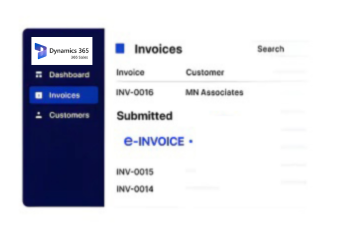
- Sales Records Selected: Sales information is identified from Microsoft Dynamics 365 Sales before billing data enters electronic invoice preparation.
- Customer Details Retrieved: Account and contact information is gathered to establish accurate customer references for the Lesotho billing transaction.
- Commercial Values Reviewed: Products, quantities, prices, discounts, and applicable details are examined carefully before invoice information is assembled for processing.
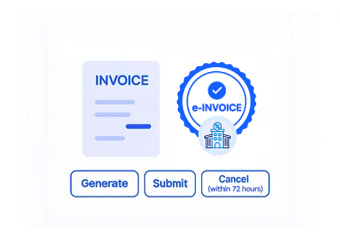
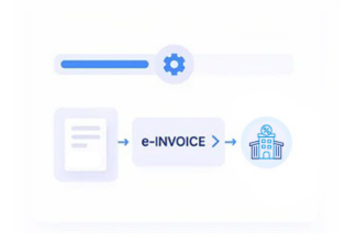
- Invoice Content Prepared: Validated transaction information is organized into structured invoice fields aligned with the required electronic billing workflow.
- Compliance Checks Applied: Tax-related information and mandatory invoice details are reviewed carefully before the electronic document proceeds through processing.
- Financial Records Updated: Processed invoice references are associated with sales records, supporting reconciliation and clearer financial follow-up activities afterward consistently.
Advintek Connects Microsoft Dynamics 365 Sales
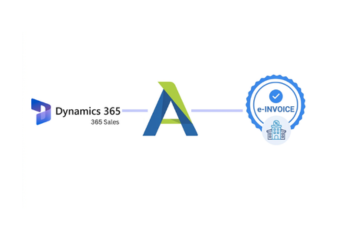
Advintek links relevant Microsoft Dynamics 365 Sales information with electronic invoicing activities, helping businesses organize sales data before structured Lesotho tax documents are processed.
- Sales and customer records stay connected
- Product details support accurate invoice preparation
- Tax information receives careful validation checks
- Commercial details remain available for review
Microsoft Dynamics 365 Sales Strengthens Billing
- Sharper Sales Visibility: Sales teams gain clearer insight into billed transactions by connecting customer, opportunity, product, and invoice information.
- Consistent Customer Context: Relevant account and contact details remain connected with transactions, supporting dependable customer identification during invoice preparation.
- Cleaner Product References: Structured product information helps maintain recognizable descriptions, quantities, and commercial details across electronic billing records consistently.
- Stronger Tax Preparation: Available VAT and tax information can be reviewed alongside sales data before electronic invoice processing begins.
- Reduced Manual Rechecking: Connected information reduces repeated searches across sales records when teams verify transaction details for billing carefully.
- Better Revenue Followthrough: Invoice references remain associated with originating sales activity, supporting financial review and follow-up after processing efficiently.
Complete Control Over Lesotho E-Invoicing Workflows in One Platform
Territory Sales Context
Microsoft Dynamics 365 Sales territory information helps distinguish commercial activity across markets and customer groups.
Quote Approval History
Quote status and approval details provide context when reviewing how sales opportunities progressed before billing.
Campaign Response Signals
Campaign responses can help explain customer engagement when sales activity later results in billable transactions.
Microsoft Dynamics 365 Sales in Lesotho
Microsoft Dynamics 365 Sales can support Lesotho businesses by supplying customer and commercial records that connect naturally with electronic billing requirements.
- Customer and account records inform billing
- Opportunity details support clearer sales context
- Product information strengthens invoice detail
- Tax references assist structured compliance review
Microsoft Dynamics 365 Sales In Lesotho
Connect Microsoft Dynamics 365 Sales with Advintek for Lesotho invoicing.
Create tax invoices from trusted sales data.
Ready e-Invoice System
Frequently Asked Questions Microsoft Dynamics e-Invoicing Lesotho
Which Microsoft Dynamics 365 Sales records are useful for Lesotho e-invoicing?
Customer accounts, contacts, opportunities, products, quantities, prices, and sales details can provide billing context. Advintek can use relevant records to prepare structured electronic invoice information while supporting tax checks and organized financial documentation for Lesotho invoicing workflows.
At what stage should sales information be checked before electronic invoices are prepared?
Review commercial details once the transaction contains sufficient billing information. Microsoft Dynamics 365 Sales records can be examined for customer references, products, values, and tax information before Advintek structures invoice data, reducing incomplete records during electronic invoicing.
How does opportunity information contribute to invoice preparation in Microsoft Dynamics 365 Sales?
Opportunity records can provide commercial background such as customer relationships, products, values, and sales progression. When a transaction is finalized, Advintek can use appropriate information to support invoice preparation while keeping billing details aligned with sales activity.
Could Microsoft Dynamics 365 Sales support different customer billing scenarios in Lesotho?
Yes, its customer and sales records can provide context for varied transactions, including products, accounts, and commercial activities. Advintek can structure applicable information for electronic invoicing, helping businesses maintain consistent tax documentation and useful sales references throughout operations.
What should businesses review when connecting Microsoft Dynamics 365 Sales with Advintek?
Businesses should identify sales records containing reliable customer, product, transaction, and tax-related information. They should define how approved data enters invoice preparation. Advintek can organize selected information into a structured workflow supporting Lesotho electronic invoicing and traceable billing.