

Why Infor M3 Users Trust Advintek
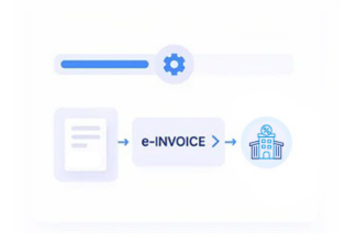
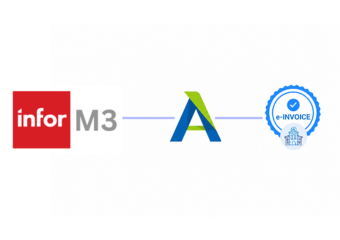
How E-Invoicing Flows Through Infor M3
- Capture Customer Orders: Gather finalized customer orders and complete billing details from M3 for electronic invoice preparation.
- Confirm Order Fulfillment: Connect fulfilled quantities and shipment references with corresponding customer billing information accurately for invoice processing.
- Map Invoice Information: Transform Infor M3 customer, item, tax, totals, and reference fields into structured invoice records for processing.
- Check Tax Details: Review invoice information carefully for completeness before entering Lesotho electronic invoicing processing workflows.
- Process Validated Invoices: Route validated records through Advintek’s controlled workflow for appropriate electronic processing, validation, and response handling.
- Align Finance Records: Return processed invoice references to support Infor M3 reconciliation and ongoing financial record management activities.
What Advintek Adds to Infor M3
Advintek creates a connected path from M3 orders and fulfillment records to validated Lesotho electronic invoices, giving finance teams stronger control over tax information, references, and reconciliation.
- Order records linked with invoice data
- Shipment references retained throughout invoice processing
- VAT fields checked before electronic submission
- Invoice outcomes returned for financial reconciliation
Why Infor M3 Users Trust Advintek
- Order Visibility: Maintain clearer links between customer orders, fulfillment activity, and resulting electronic invoices.
- Fewer Exceptions: Identify incomplete billing information earlier, reducing avoidable corrections during invoice processing workflows.
- Better Reconciliation: Connect invoice outcomes with originating InforM3 transactions for more efficient financial review.
- Consistent Tax Data: Apply structured checks across VAT and invoice fields before electronic processing begins.
- Centralized Records: Give finance teams organized invoice references alongside relevant operational transaction information daily.
- Scalable Processing: Support increasing transaction activity without relying on disconnected manual invoicing procedures daily.
What Infor M3 Gets for Lesotho E-Invoicing
Order Invoice Tracking
Follow billing documents from originating M3 orders through completed e-invoice processing.
Shipment Reference Matching
Associate fulfillment references with invoices to support accurate transaction traceability.
Exception Review Management
Surface incomplete or inconsistent records for correction before final electronic processing.
Lesotho Support for Infor M3 Operations
Infor M3 users can connect order, fulfillment, customer, tax, invoicing, and finance information through a structured Lesotho compliance workflow.
- Infor M3 orders connected with billing records
- Fulfillment details retained for complete traceability
- Tax information organized before electronic submission
- Financial references available for routine reconciliation
Align Every Invoice with Lesotho Compliance
Connect Infor M3 with Lesotho electronic invoicing through one workflow.
Strengthen billing accuracy across daily M3 operations.
Ready e-Invoice System
FAQs Infor M3 and Lesotho E-Invoicing
How can Infor M3 customer orders feed Lesotho electronic invoices?
Infor M3 customer orders can provide important source information for electronic invoice preparation, including customer details, products, quantities, transaction values, and applicable tax information. Advintek can organize these records into a structured invoicing workflow, helping businesses preserve the connection between the original M3 order and resulting Lesotho invoice documentation.
What role do shipment records play in Infor M3 e-invoicing?
Shipment information can provide useful context when an Infor M3 transaction reaches the invoicing stage. Advintek can associate relevant fulfillment and shipment references with corresponding billing records, helping businesses maintain traceability between goods delivered, customer transactions, and electronic invoices while supporting clearer reconciliation between operational and financial information.
Can Advintek identify missing information in Infor M3 invoices?
Yes. Advintek can apply validation checks to relevant Infor M3 invoice information before the record progresses through electronic processing. Depending on the configured workflow, checks can cover customer information, transaction references, tax details, totals, and other required fields, helping businesses identify incomplete records before they create downstream processing issues.
Is Infor M3 suitable for businesses with distribution operations?
Infor M3 supports business processes spanning areas such as sales, distribution, inventory, fulfillment, and finance. Advintek can connect relevant transaction information from these operations with the electronic invoicing workflow, allowing distribution-focused businesses to establish stronger continuity between customer activity, fulfilled orders, invoice preparation, tax information, and financial records.
How does Infor M3 e-invoicing support finance teams?
Connecting Infor M3 with electronic invoicing gives finance teams a clearer relationship between originating transactions and processed invoice records. Advintek can retain relevant references and processing outcomes, helping teams review invoice information, reconcile transactions, investigate exceptions, and maintain organized documentation for ongoing financial management and Lesotho tax compliance activities.