

Compliance That Fits Xero Users.
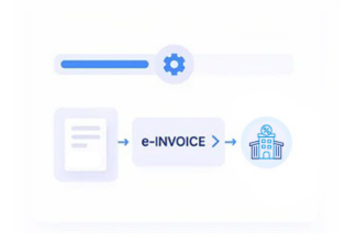
How Xero Accounting Data Enters Lesotho Electronic Invoicing
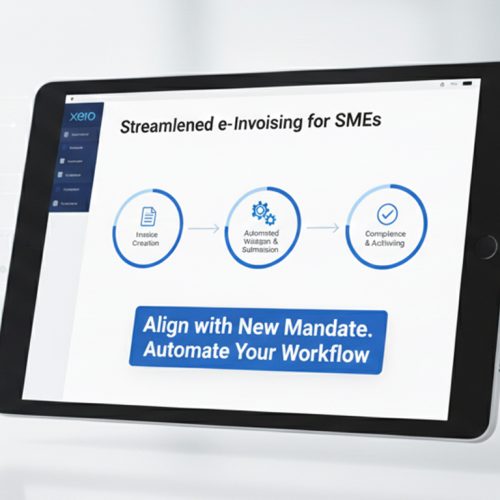
- Xero Records Selected: Relevant invoices, contacts, transactions, and associated accounting information are identified for electronic invoice processing.
- Contact Information Matched: Customer details from Xero are associated with corresponding billing records to support complete invoice documentation.
- Line Items Organized: Products, services, quantities, and related transaction information are arranged into appropriate electronic invoice fields.
- VAT Details Evaluated: Applicable tax information is reviewed alongside transaction data before the invoice proceeds through processing.
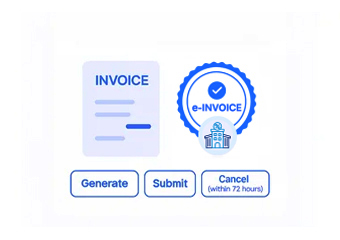
- Electronic Invoice Generated: Structured Xero information is prepared through Advintek’s connected workflow for Lesotho electronic invoicing.
- Financial Records Linked: Processed invoice information remains connected with Xero records to support reconciliation, reporting, and accounting administration.
Where Advintek Fits Within Xero Cloud Accounting
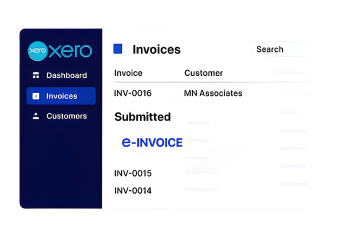
Advintek extends Xero’s cloud accounting environment with a connected electronic invoicing layer for Lesotho businesses. Relevant invoice, contact, transaction, and tax information can move through structured processing while Xero continues supporting bookkeeping, financial management, bank reconciliation, invoicing, and everyday accounting operations.
- Extends Xero beyond standard invoice management
- Connects cloud accounting with digital tax processing
- Coordinates contacts, transactions, and tax information
- Supports connected financial documentation
Why Xero Users Connect Their Accounting with Advintek
- Cloud Accounting Continuity: Businesses can continue using Xero for bookkeeping, invoicing, bank reconciliation, and financial management while electronic invoice processing operates through Advintek.
- Contact Records Stay Consistent: Customer information already maintained in Xero can support electronic invoice preparation, reducing inconsistencies between accounting contacts and billing documents.
- Transaction Visibility Improves: Connecting invoice activity with Xero records gives finance teams a clearer relationship between accounting transactions and electronic billing.
- VAT Information Remains Organized: Relevant tax details can stay associated with corresponding transactions during electronic invoice preparation and processing.
- Quote-to-Invoice Flow Supported: Xero quotation information can contribute to downstream billing activities, helping maintain continuity when prospective transactions become actual invoices.
- Reconciliation Gets Better Context: Electronic invoice information can remain connected with Xero accounting records, supporting reconciliation and financial review.
Everything You Need for Lesotho E-Invoicing in One Place
Cloud Accounting Connectivity
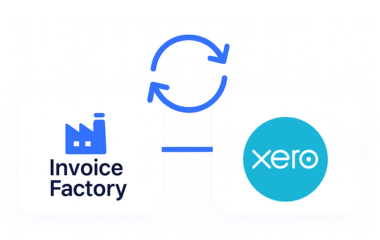
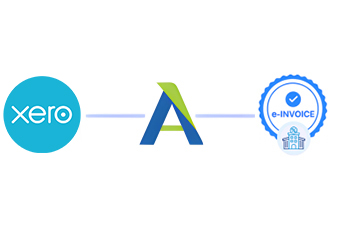
Advintek connects relevant Xero accounting information with e-invoicing, allowing businesses to extend familiar cloud finance workflows into digital tax processing.
Quote and Invoice Coordination
Relevant Xero quotation and invoice information can follow connected workflows, supporting continuity between customer billing stages and electronic documentation.
Reconciliation Data Continuity
Processed invoice information can remain associated with Xero records, giving accounting teams stronger context for reconciliation and financial reporting.
Xero Integration for Lesotho Accounting Operations
Xero users can connect their cloud accounting environment with Advintek to coordinate invoicing, customer information, VAT records, reconciliation, and electronic tax documentation within a structured Lesotho workflow.
- Connect Xero cloud accounting with e-invoicing
- Coordinate contacts and invoice information
- Support VAT-related accounting records
- Maintain connected digital billing documentation
For Lesotho Digital Invoicing
Keep your existing Xero workflow while streamlining electronic invoice processing.
Connected to Xero. Managed through Advintek.
Ready e-Invoice System
Frequently Asked Questions Xero e-Invoicing Lesotho
1. Can Xero contacts be used automatically when preparing electronic invoices?
Relevant customer contact information stored in Xero can support electronic invoice preparation through the connected Advintek workflow. This helps businesses maintain consistency between their accounting contacts and billing documents. Using existing Xero information also reduces unnecessary duplication and gives finance teams a more connected approach to customer-based invoicing.
2. How can Xero tracking categories support invoice-related accounting?
Xero tracking categories can help businesses organize financial information according to their internal accounting structure. While electronic invoice processing focuses on relevant billing and tax information, associated accounting records can retain their existing classifications. This allows finance teams to preserve useful Xero reporting structures alongside connected electronic invoicing activity.
3. Can Xero bank reconciliation continue after invoices are processed through Advintek?
Yes. Xero can continue handling bank reconciliation and other accounting functions independently of the electronic invoice workflow. Relevant invoice information processed through Advintek can remain associated with the underlying accounting records, giving finance teams useful context when reviewing transactions and reconciling financial activity within Xero.
4. How does Xero integration support customer invoicing workflows in Lesotho?
Xero can continue managing customer billing information, while Advintek connects relevant invoice data with structured Lesotho electronic invoicing processes. Customer details, transaction information, line items, and applicable tax information can be coordinated during processing, helping businesses maintain a clearer connection between Xero invoicing and digital tax documentation.
5. Can Xero businesses retain their existing financial reports after connecting Advintek?
Yes. Advintek complements Xero rather than replacing its accounting and reporting capabilities. Businesses can continue using Xero for financial reports, bookkeeping, bank reconciliation, and management accounting while relevant electronic invoice activity is processed through the connected workflow, helping preserve continuity across their existing financial management environment.