

QuickBooks E-Invoicing for Lesotho
Get Started
Connects Accounting Data with Tax Workflows
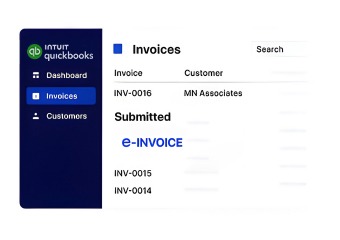
Compliance That Fits QuickBooks Users
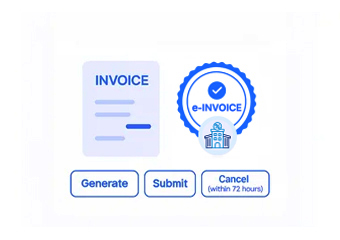
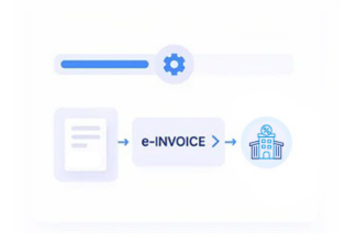
How QuickBooks Accounting Entries Become Lesotho Electronic Invoices
- Accounting Entries Identified: Relevant QuickBooks transactions are identified according to their invoice, customer, item, and tax information.
- Customer Records Matched: Customer account information is connected with corresponding transaction details to establish complete billing records.
- Items and Services Mapped: QuickBooks products and services are associated with applicable invoice fields for structured electronic document preparation.
- Tax Information Reviewed: Relevant VAT information is checked alongside transaction data before the invoice progresses through processing.
- Invoice Document Prepared: Validated accounting information is assembled into an electronic invoice through the connected Advintek workflow.
- Accounting Results Recorded: Processed invoice information remains available for QuickBooks reconciliation, financial review, reporting, and business recordkeeping.
How Advintek Extends QuickBooks Accounting Capabilities
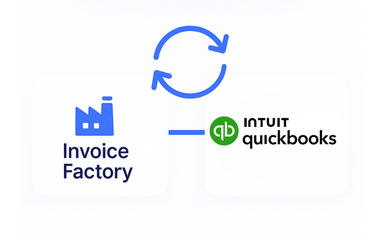
Advintek adds an electronic invoicing workflow around QuickBooks, connecting bookkeeping, customer billing, transaction information, VAT records, and digital invoice processing without replacing the accounting system used by finance teams.
- Extends QuickBooks into electronic tax invoicing
- Connects bookkeeping data with invoice workflows
- Coordinates customer and item information
- Supports structured digital billing records
Why QuickBooks Users Connect Advintek for Lesotho Invoicing
- Accounting Data Reused: Existing QuickBooks transaction information can support electronic invoice preparation instead of requiring finance teams to recreate billing records separately.
- Customer Accounts Remain Relevant: Customer information already maintained within QuickBooks can contribute to connected invoice documentation and consistent billing records.
- Item-Level Information Stays Connected: Products and services recorded in QuickBooks can remain associated with corresponding invoice details during electronic processing.
- Tax Information Gets Organized: Applicable VAT information can be coordinated with accounting transactions to support accurate digital invoice preparation.
- Invoice Activity Becomes Traceable: Connected processing provides accounting teams with clearer visibility between QuickBooks records and electronic invoice activity.
- Financial Documentation Stays Structured: Relevant invoice information can remain organized for reconciliation, reporting, accounting reviews, and ongoing recordkeeping.
Everything You Need for Lesotho E-Invoicing in One Place
Accounting-to-Invoice Connection
Advintek connects QuickBooks accounting information with invoice processing, allowing finance teams to retain familiar bookkeeping workflows.
Transaction-Level Processing
Relevant QuickBooks transaction information can be evaluated and organized before entering the appropriate digital invoicing process.
Connected Tax Documentation
Invoice and VAT information remains associated with accounting records, supporting organized documentation and ongoing financial administration.
What QuickBooks Businesses Can Manage Through Advintek
Advintek supports businesses using QuickBooks for bookkeeping, invoicing, customer accounts, and financial reporting by connecting core accounting information with structured Lesotho electronic invoicing processes.
- Extend QuickBooks into Lesotho e-invoicing workflows
- Connect customer accounts with billing documents
- Organize product and service information
- Coordinate VAT with accounting transactions
Accounting to Lesotho Tax Invoicing
Let QuickBooks remain your accounting hub while Advintek coordinates e-invoice processing.
QuickBooks Connected. Lesotho Invoicing Coordinated.
Ready e-Invoice System
Frequently Asked Questions QuickBooks e-Invoicing Lesotho
1. Can QuickBooks chart of accounts information support electronic invoicing workflows?
QuickBooks chart of accounts information helps businesses organize their financial transactions, while Advintek focuses on the invoice information required for electronic processing. Relevant accounting classifications can remain part of the surrounding financial records, helping finance teams maintain continuity between bookkeeping activities and invoices processed through the Lesotho e-invoicing workflow.
2. How can QuickBooks customer profiles support Lesotho invoice creation?
Customer information maintained within QuickBooks can provide relevant details for electronic invoice preparation. Advintek can connect applicable customer records with corresponding transaction information, helping businesses maintain consistent billing documentation. This reduces unnecessary duplication between customer accounting records and the information used within connected electronic invoicing processes.
3. Can QuickBooks sales receipts and invoices be distinguished during integration?
Yes. QuickBooks can maintain different transaction types within its accounting environment, while the connected workflow can use relevant records according to their invoicing purpose. This allows businesses to preserve their QuickBooks bookkeeping structure while directing appropriate invoice information into Advintek for electronic processing and digital tax documentation.
4. How does Advintek work with QuickBooks financial reporting records?
Advintek complements QuickBooks rather than replacing its accounting and reporting functions. Relevant electronic invoice information can remain associated with the underlying QuickBooks transactions, helping finance teams compare billing activity with accounting records when performing reconciliation, reviewing financial information, or preparing internal reports.
5. Can QuickBooks businesses connect invoice workflows without changing their accounting setup?
Advintek is designed to work alongside the existing QuickBooks environment, allowing businesses to continue using their established accounting processes. Relevant billing information can flow into the connected electronic invoicing workflow, creating a bridge between QuickBooks bookkeeping and Lesotho digital tax invoicing without requiring a separate accounting platform.